

How do I contact Reduct support?
You can contact Reduct support by creating a support ticket from inside Reduct. Using this system provides us additional information that helps us respond to and resolve your bugs. Because of this, starting in November 2026, all bug reports and technical issues must be submitted through the in-app ticketing system, and will no longer be accepted via direct email. The only exception to this is users who cannot log in.
Creating a support ticket in Reduct
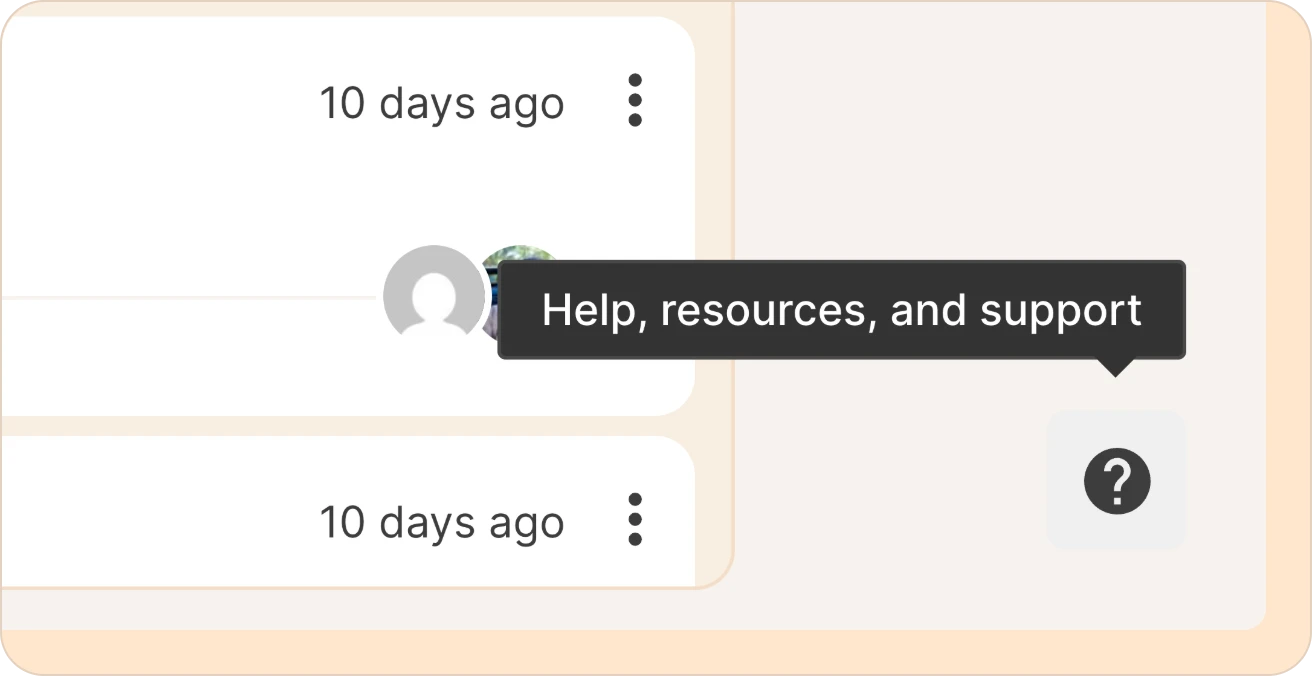
Step 1: Click the question-mark button on the bottom right.
Click the question-mark (?) button. If you hover over it, it reads Help, resources, and support.
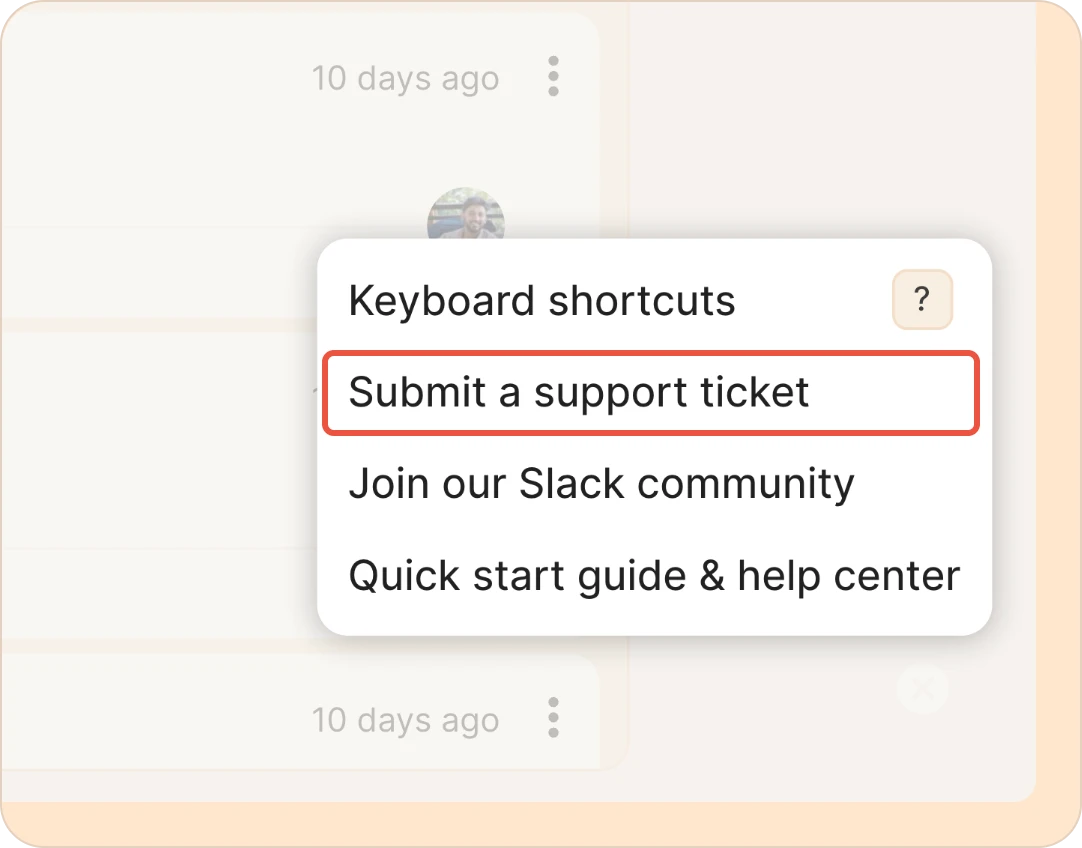
Step 2: Choose Submit a support ticket.
In the menu that opens, click Submit a support ticket.
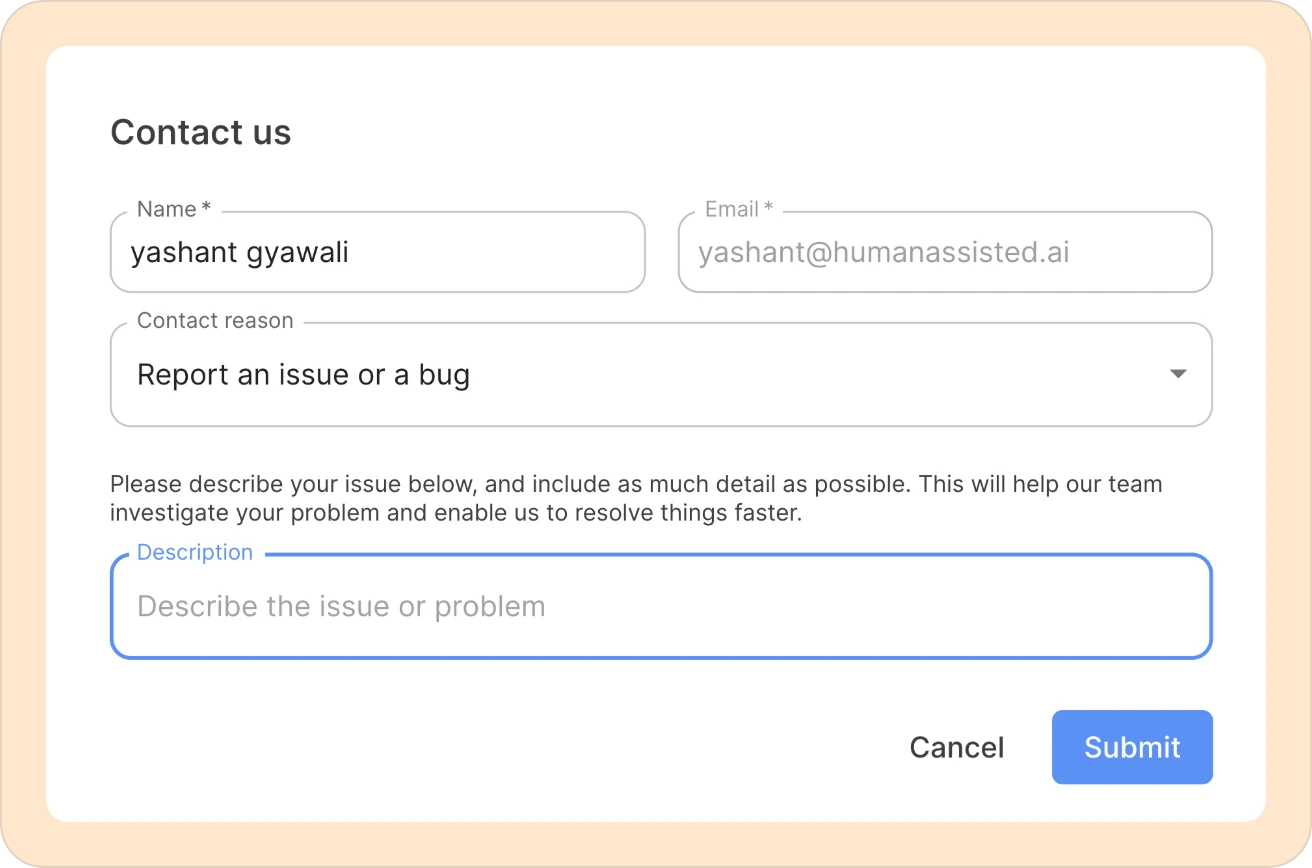
Step 3: Fill out the form and submit it.
The Contact us form opens. Fill in the following:
- Name - Your name (auto-filled).
- Email - Your email address (auto-filled). We will respond to this email.
- Contact reason - Choose the option that fits, such as Report an issue or a bug.
- Description - Let us know what is going on.
Click Submit when you're done. We will get back to you as soon as possible.
What if I can’t log in?
If you are unable to log into Reduct, or access your account, please email support@reduct.video from the account that you believe you should have access to Reduct. The ticketing system above is only accessible to users logged into Reduct.