

Supported file formats in Reduct
Reduct supports a wide range of audio and video file formats. It automatically processes supported files so you can transcribe, review and clip audio and video directly in the platform. No conversion is required for supported formats.
| Video | Audio | Others |
|---|---|---|
| .mp4 | .mp3 | .png |
| .avi | .ogg | .jpg |
| .ogg | .aac | .jpeg |
| .webm | .webm | .docx |
| .mov | .mp4 | .doc |
| .3gpp | .opus | |
| .3gpp2 | .3gpp | .txt |
| .x-msvideo | .3gpp2 | .odt |
| .wmv | .wma | .xlsx |
| .ts | .amr | .xls |
| .mts | .csv | |
| .mkv | .ods | |
| .vob | .odp | |
| .flv | .ppt | |
| .mxf | .bmp | |
| .asf | .zip | |
| .mv | ||
| .trm | ||
| .m2v | ||
| .mpg | ||
| .dav |
Uploading a .zip file
You can upload a .zip file directly to Reduct without unpacking it first. Just drag and drop the .zip file, and Reduct will automatically extract and upload all supported files inside.
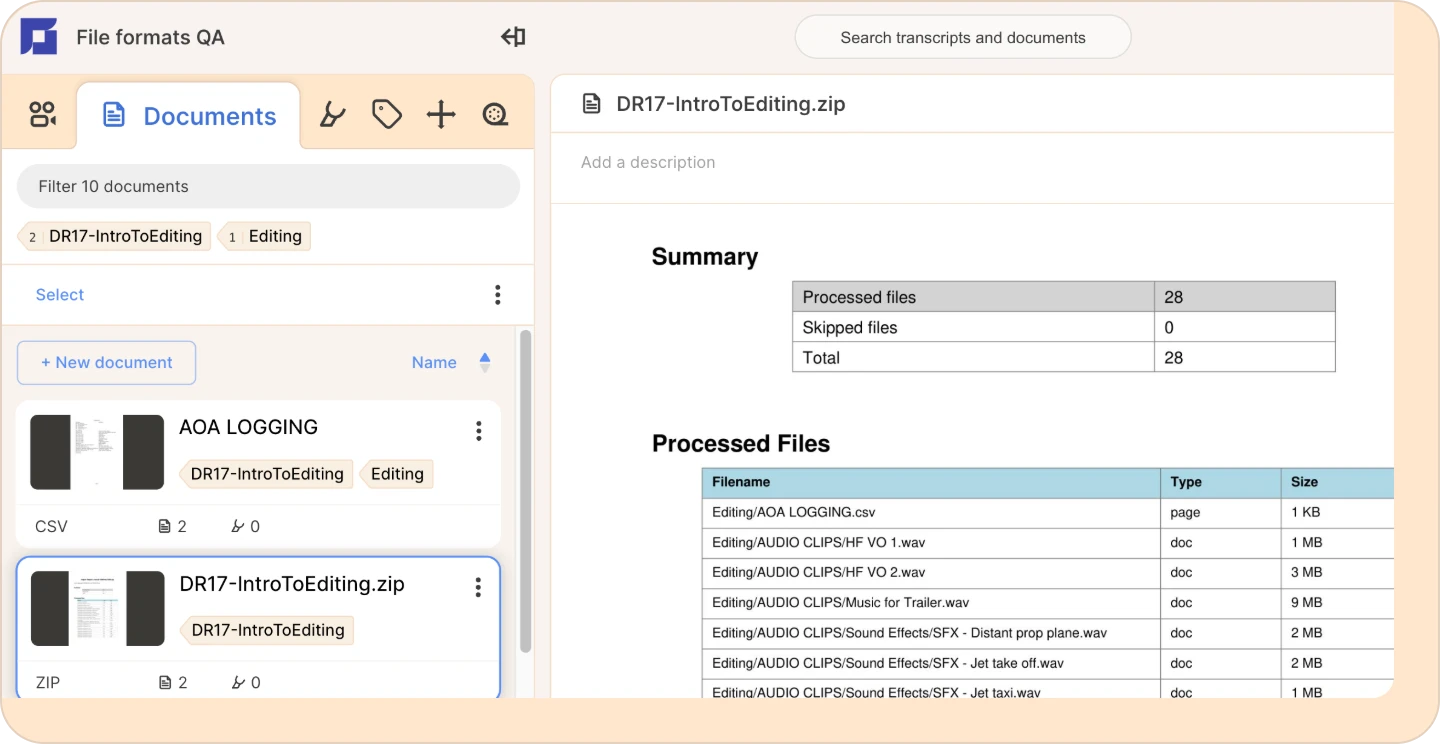
Once processed, you'll see a summary file showing everything that was unpacked.
- Recordings (video/audio) will appear in the Recordings tab.
- All other files will go under Documents.
Working with proprietary file formats
Some proprietary formats are notoriously difficult to work with. We've made that easier in Reduct. See our guide on how to work with GTL (.v23, .v24, .v25, .v26), DS2, G64x, .exe, and more file formats.
Dealing with proprietary file formats ->
Unsupported or uncommon formats
If you have a file format that isn’t listed here, feel free to contact our support team. We’re always improving compatibility and are happy to help you get them into Reduct.