

Switching between workspaces
If you belong to multiple organizations or workspaces in Reduct, you can switch between them from the user menu by clicking your profile in the top-right corner of the screen.
Note💡
You may not see this menu if you aren't a member of multiple workspaces.
-
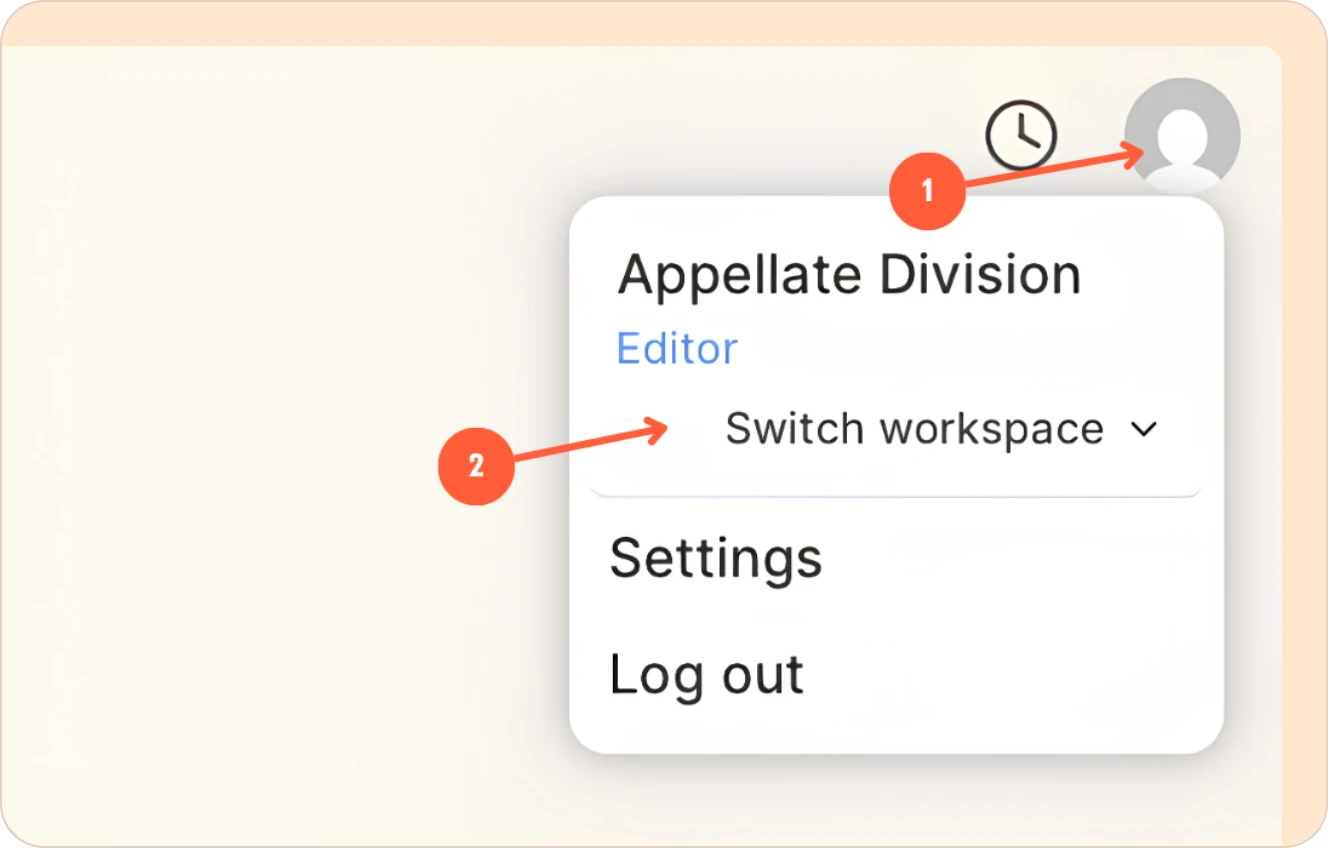
Click on your profile picture on the top right corner.
-
Now, click on the switch workspace button.
-
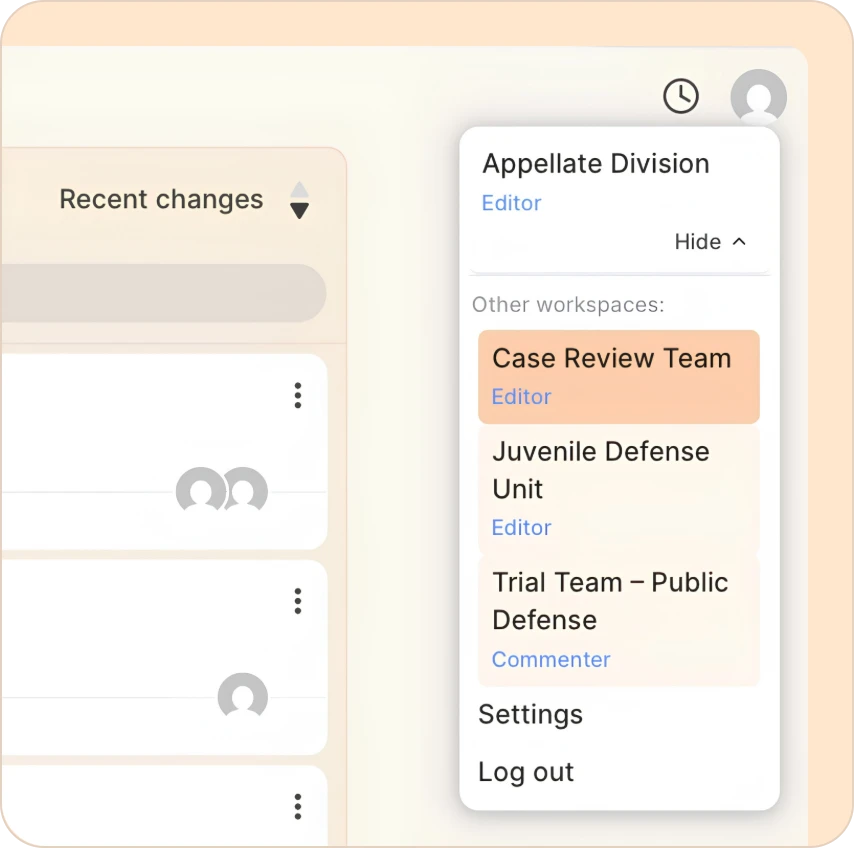
You will now see all workspaces you are a member of, listed underneath. Click on one to switch to it.
If you'd prefer to watch a video instead of reading, we have you covered with a quick walkthrough.