

Exporting your highlights and labels as CSV
Reduct lets you export every label from your project as a CSV file. This is useful for auditing your labeling structure, sharing a label taxonomy with teammates, or pulling label data into a spreadsheet for further analysis.
How to export your label as a CSV file in Reduct
-
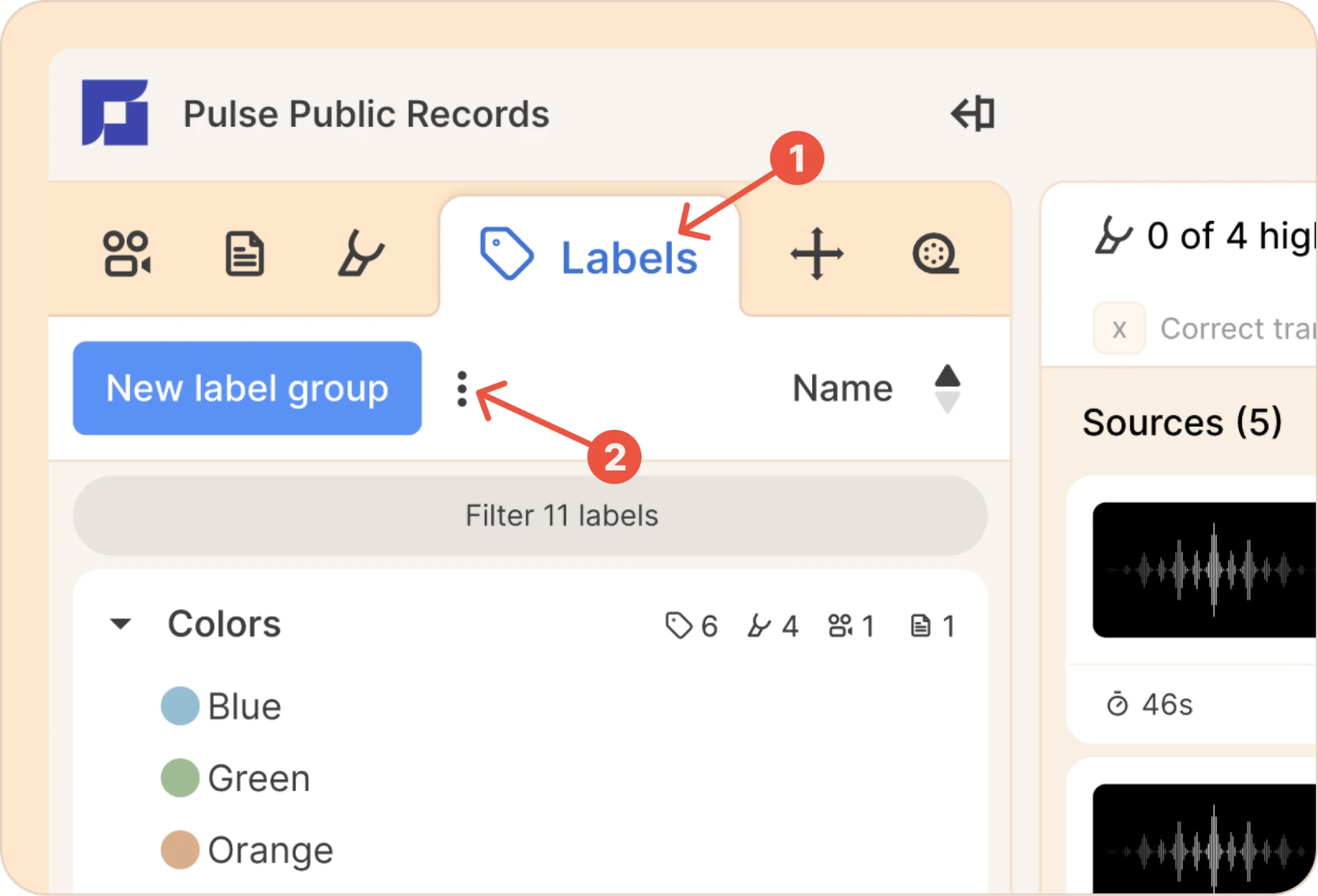
Go to the Labels tab in the LHS panel.
-
Click the three-dot kebab ( ⋮ ) menu next to New label group.
-
Select Export labels as CSV from the dropdown.
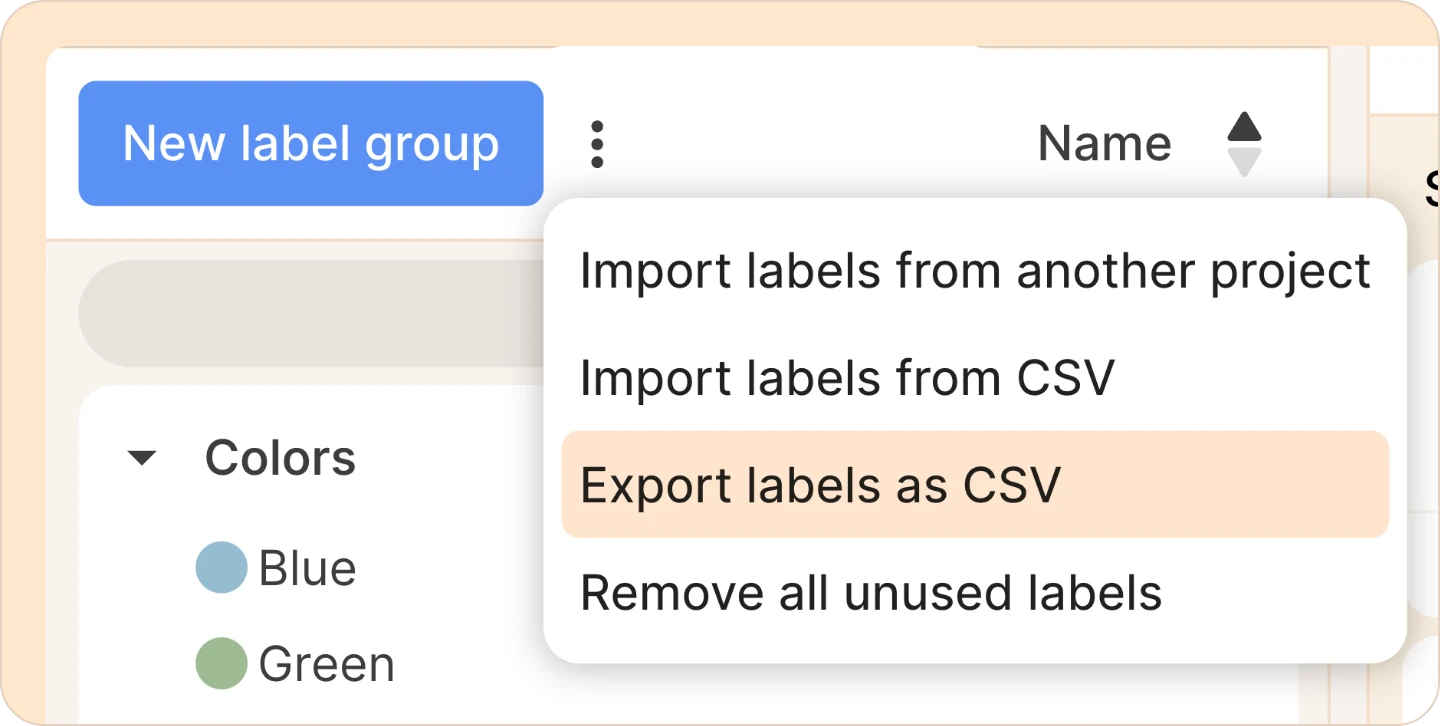
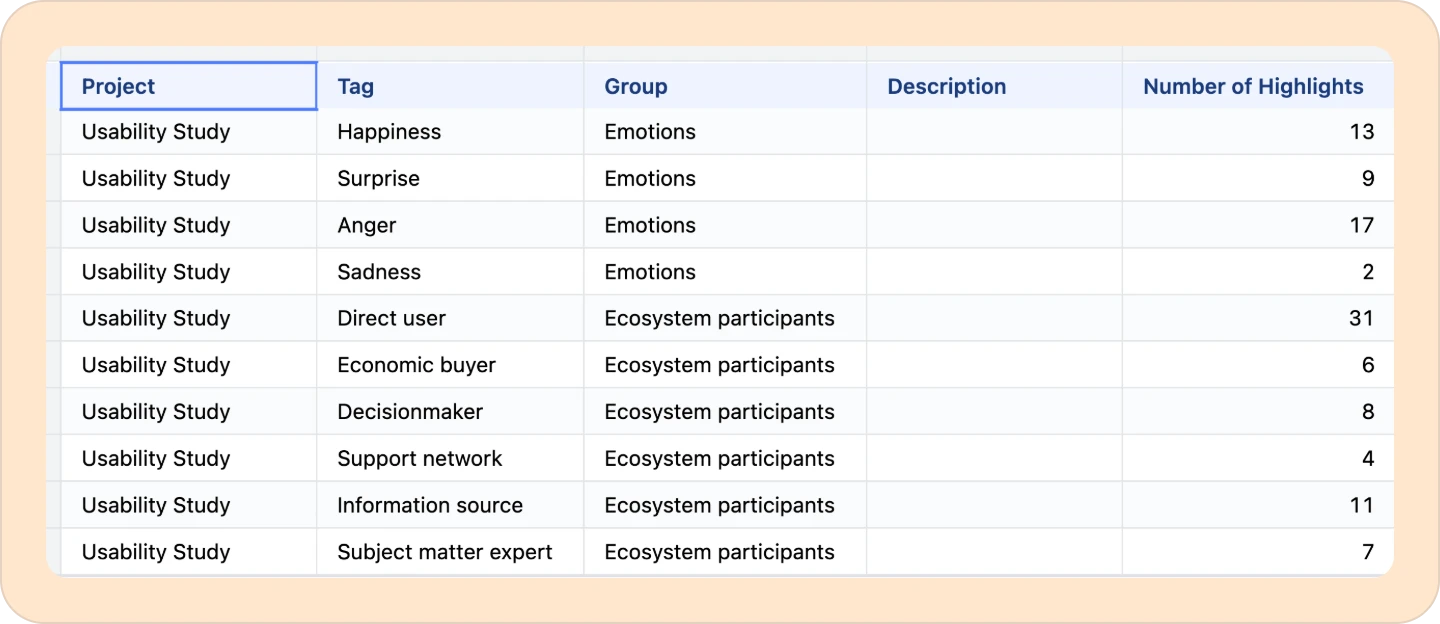
Your browser will download a CSV file containing every label in the project.
The CSV export includes these columns: Project, Tag, Group, Description and Number of Highlights.
If you want to build more complex, custom workflows, our API gives you a wide range of endpoints to help you get data out of Reduct however you need. Take a look at our API docs, or reach out to our support team and we'll help you get started.