

Transcript Review in Reduct
Reduct's AI transcription is pretty fast and accurate, but some sections are inherently harder to get right because of low-volume audio, overlapping speakers, background noise, or unfamiliar terms.
Transcript review automatically flags these lower-confidence sections as it transcribes, so you know where to focus your corrections.
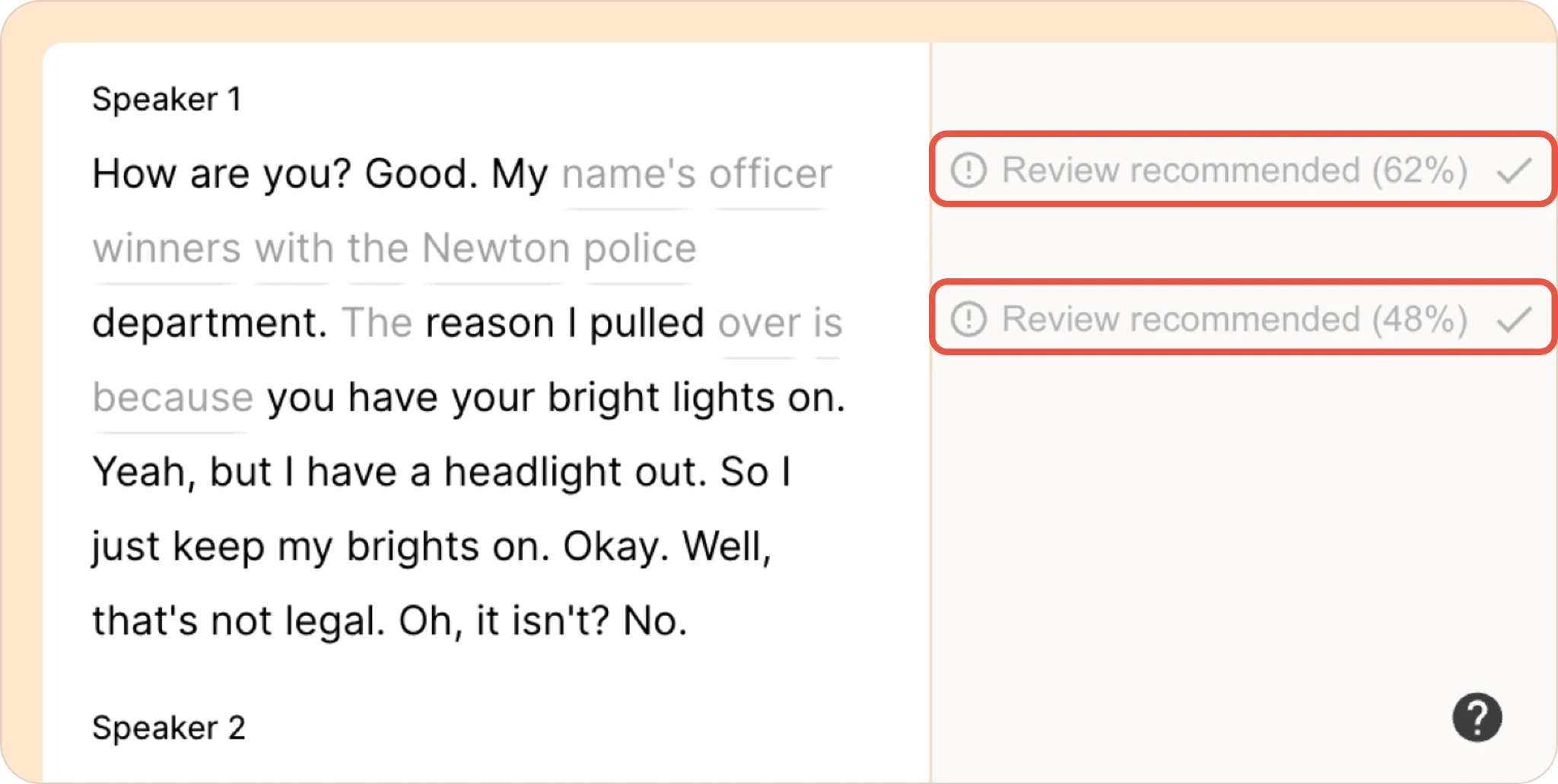
How it works
As your recording is transcribed, Reduct scores its own confidence in every word and phrase. Segments it's less confident in are flagged with a Review recommended label and a percentage score in the panel to the right of the transcript.
Higher scores mean the transcript is more likely to be accurate, while lower scores help identify sections that may need correction.
Reviewing a flagged section
- Find a Review recommended (X%) flag next to a paragraph in the right-hand panel.
- Click the flag to open the Transcription review menu.
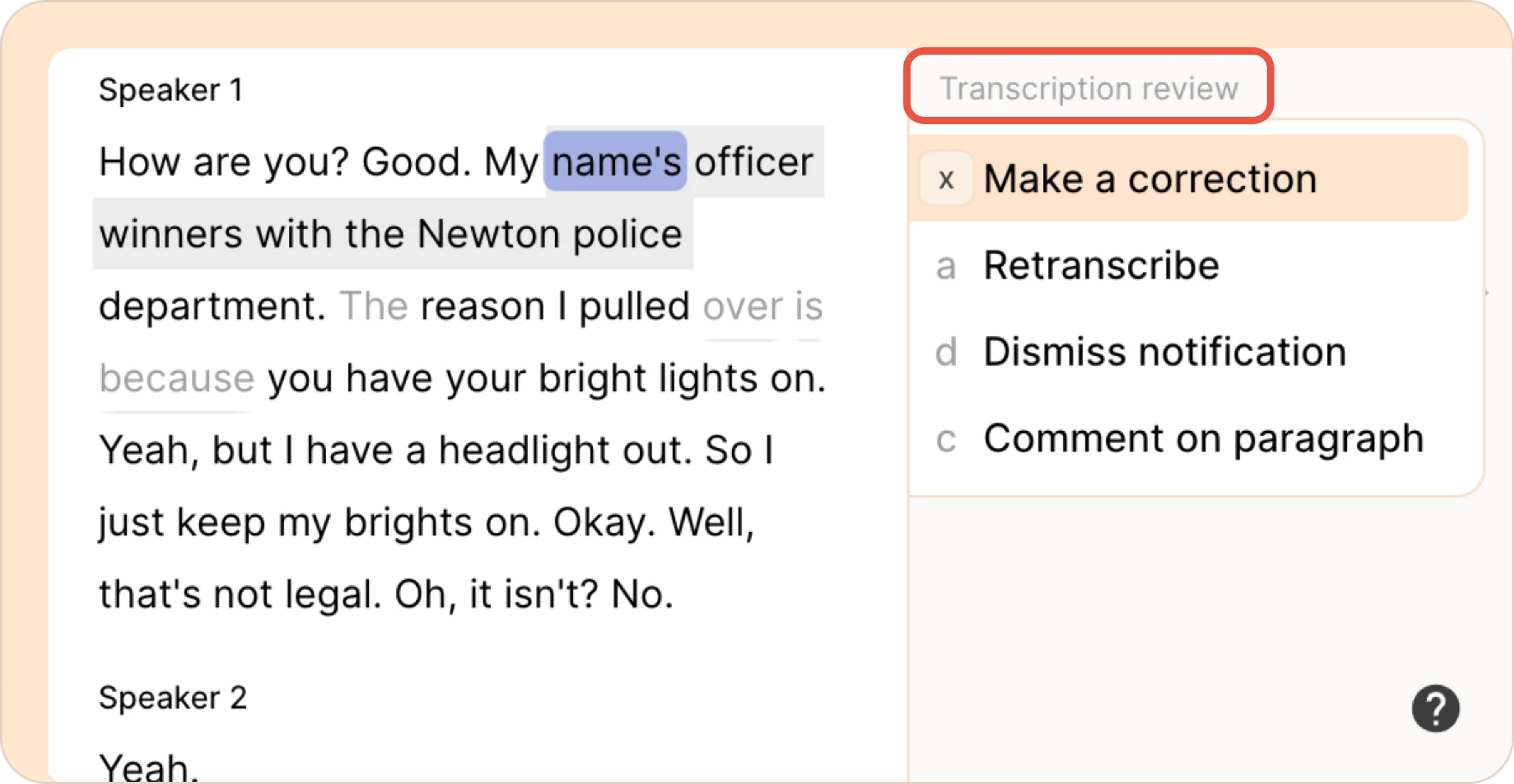
- Choose one of four actions:
- Make a correction - opens transcript correction mode on that section so you can edit the text directly against the audio.
- Retranscribe - sends that section through Reduct's re-transcribe model, which is tuned for low-volume or noisy audio. Sometimes running it back through the model confirms the section is accurate and clears the flag.
- Dismiss notification - clears the flag without changing the transcript. Use this once you've listened to the section and confirmed it's already correct.
- Comment on paragraph - leaves a note on that paragraph so a collaborator can weigh in before it's resolved.
Once a flag is corrected, retranscribed, or dismissed, it clears from the panel and is marked as reviewed.
- Make a correction - opens transcript correction mode on that section so you can edit the text directly against the audio.
FAQ
Does dismissing a flag change the transcript?
No. Dismiss notification only clears the flag. It doesn't edit the transcript. Use Make a correction or Retranscribe if the text itself needs to change.
Does a low confidence score mean something is definitely wrong?
Not always. A lower score usually means Reduct is less sure, often because of audio quality, not that there's a guaranteed error. Worth a quick listen, but not every flag is a mistake.
Who can see and resolve review flags?
Anyone with edit access to the recording can view and act on transcript review flags.